More on Starlink: Power, Antenna, Router

More boat nerd project information…

Antenna Choices

When you sign up for Starlink you have a choice of either a “High Performance” antenna, or the standard antenna that has somehow come by the nickname “Dishy”. Months ago it was announced that Starlink applied to the FCC for a license for a new “mini” dish, but as of this writing (Dec 2023) there has been a new antenna announced at the same price point as “Dishy” It is not yet clear to me if this is a replacement, or a line extension.

Here is how currently available options compare, as I see them.

High PerformanceDishy
$2500$600
Easier to mount on any flat surface. A mast radar mount works well, and various arch mounts are also possible.Potentially more complex solutions needed to assemble a permanent mounting. No single solution works on all boats.
Fewer short interruptions, might be important for people who need a very stable connection for two-way video feeds.Performance is more than satisfactory for regular web usage.
About 50% higher power demand.Currently lowest power option.
No modifications needed.Best performance underway achieved with internal modifications that will void warranty.
Designed for use while moving, even at highway speeds.Although not designed for use while moving, it does fine at normal sailboat speeds. Rumor has it that using it while moving voids the warranty, but I am not sure of that.
Connects to multiple satellites at once for a connection more reliable and less subject to obstructions and interruptions.Only one satellite connection supported, so less power needed, but also subject to more interruptions.

There is not a simple “always correct” choice for a cruiser. If you are power limited, the “Dishy” option is likely your best choice. Putting together an elegant permanent mount of a Dishy can consume much of the cost difference between the choices, but if you use a simple mount, it is clearly the budget option. If you do not expect to use Starlink underway, the Dishy is easy to remove from a temporary mount and store away while you are sailing.

If your primary use is going to be remote work off grid, then the high performance antenna is likely to be your best choice. Maybe you can get work to pay for it, or at least get a tax deduction 😉

We went with the “Dishy”. We have not yet fully worked out how we are going to mount it in the long run, but its performance so far has been excellent for routine web browsing, at the dock and underway.

Router Information

Startlink Dishy comes with a WiFi router in an elegantly stylish case that plugs into 110/220V 50/60Hz. Mixed in with all the rest of the misinformation on the internet, I have seen people say this can only be used with a pure sine wave inverter. That is certainly not true. Ours ran fine on our ancient Xantrex 110V modified sine-wave inverter that was built in the last century. Will it work on your old inverter? Probably…

The Starlink router works fine, it is very simple to set up. If you can easily feed it AC power, you might be perfectly happy running it. We felt we could improve the integration of this part of the system into our boat’s systems.

Inside the sexy Starlink Router case are three things. A pretty generic WiFi router. An AC to DC converter to supply 48V DC to the Antenna, and a POE (Power Over Ethernet) injector. That’s it. No magic. I have put together a set of components to do exactly the same thing powered from our boat’s 24V DC system–no AC power required. Since we already had a DC powered WiFi Router onboard that was being used all the time, it did not make any sense to spend the power to run TWO routers, and especially since we could stop using the inverter to power the Starlink router..

Here is a photo of the breadboard of the system as I assembled and tested it.

A 24 Volt to 48 Volt converter, a high voltage POE injector, and a Pepwave MAX-BR1-MINI-LTEA-W Router. The Starlink cable from the Antenna has been modified with a standard RJ-45 plug, and there is a “special adapter” cable between the POE injector and router. Starlink cabling standards are different than everybody uses, so be sure you get them right, and there were a few modifications to the Pepwave setup needed. (I’ll write that up shortly…)

For someone using Starlink as a primary connection for video conferencing, or other highly connection sensitive applications in an area they also have access to a marina WiFi, and/or a cellular data connection, a PepWave router is an awesome piece of kit. It can seamlessly switch from one data source to another, in a priority of your choosing. These things can do everything you ever imagined, and a whole lot more. A simple setup is pretty simple, but you can dive in as deep as you need. PepWave makes many different ones of different capabilities. If you need this capability, do what I did, talk to a networking expert who can help you make a selection, and the initial setup.

Despite what you might read on the internet, once configured properly, you WILL be able to fully interact with the Starlink antenna using the Starlink app with the generic router. If you are not a total network nerd, you might want to be sure that you use a router that you can confirm will work, and make whatever setup changes are needed. There are a few router specific functionalities that will disappear (Like the advanced speed test) but everything else works exactly as you expect.

Power Use

You can see in the above photo the Ammeter readout of the consumption of both the Starlink Antenna and the Pepwave router (1.62A) This number is highly dynamic, and varies from 1.3 A to 2.1A (All measured at 26.9 Volts). Using nothing more than my eyeballs to estimate it, an average use of about 1.6A or 1.7A (or, multiplying by 26.9V, 43W to 45W) seems like a good number to plug into an energy budget. The router by itself has a typical power draw of 13W. This is not a negligible power consumption, but not a huge one either.

All these numbers are for the “Dishy” antenna. I don’t have any measurements for the High Performance antenna. As minimum, I would expect the High Performance antenna might need a 24V to 48V converter with a higher rating that the 120W model I chose to power our Dishy.

I had no quick and simple way of measuring the energy use for the system when it was powered through the Starlink router, so I don’t have those numbers.

Posted in Underway | Leave a comment

StarLink Information for Cruisers–What Plan to Use.

I have gotten a LOT of requests from cruising sailors who are new to Starlink about the details of how to set it up, what plan to get, how to manage the system, and many other questions. A short article seems the best way to address those instead of answering them one at a time. This article will discuss the types of plans available, and which one might be best for you. There is one answer that will be the best for ALMOST all cruising sailors, but, once you understand the details about WHY, you can make your own choice. Hardware issues on which antenna to use, and how to configure it for your boat will follow.

The day this box arrives on your boat will change the way you look at cruising. Mostly for the better.

This information is current as of November, 2023. It is most certainly NOT official Starlink policy, but is my understanding of the rules and how they impact us sailors. I am not an expert, but I have done a pretty deep dive into this. I am sure I got something at least partly wrong, but I am also sure that the internet being what it is, that will be pointed out to me! One more caveat, this is written from the perspective of someone with a home address in the continental USA. Prices ARE different in different parts of the world, and policies might be as well, so extrapolate with care.

With those caveats out of the way, let’s dive in. Don’t worry, the water is not too deep…

Before we can understand our choices we have to know what they are, and to understand that we need to have a peak behind the curtain at Starlink’s business.

Lost in Space

If there are any communication engineers out there, please forgive the gross simplification of this section. I think it has enough information to get the concepts clear, but no more…

The basic concept for satellite communications is pretty simple, you send information up into the sky, the satellite receives it and sends it back to a ground station connected to “The Internet.” Information coming back you makes a similar trip, from the ground station up to the satellite and then down to you.

This was the standard way most satellite systems worked because their satellites were high in the sky, and pretty much everywhere on earth they could “see” you AND a ground station. Only a few complex, high powered satellites are needed to cover the entire globe. The downside of this system is the time it takes for the signal to go up to the satellite and back down can be long–up to a quarter of a second. For internet data, and even for phone calls that is about three forevers.

Starlink’s big difference is the satellites are in very low orbits, about 340 miles, compared to over 26,000 miles for some other communication satellites. So the round trip signal delay is trivial. This comes with a couple of complications caused by the low orbit. Each satellite has a very limited view of the world, so you need a lot of them. Fortunately, because each satellite sees fewer customers at a time, they can be smaller and simpler. This limited window down to the earth’s surface causes another issue for customers in places where there is not a ground station within view of the satellite they are sending their data to. Without a ground station, you can not send and receive data.

Starlink solves this problem with laser communication between satellites. You send an email to your Mom while you are sailing in the middle of the ocean, and it goes up to a satellite, and bounces from one to another as laser light, until it gets to one that can see a ground station, and then over traditional methods to your Mom’s computer. Pretty slick. But there’s more…

This laser link is very fast. Actually faster (by a little tiny bit) than sending the same data through a cable. So someone sending stock trading information from London to Wall Street with a Starlink connection will have their data arrive a few milliseconds before his competition using the undersea cable connections. In the world of high speed trading, milliseconds are big bucks, so this data stream is VERY valuable property, and is therefore expensive. It is likely a very significant part of Starlink’s revenue.

That’s all nice, but how does it affect us poor cruising sailors??? Read on…

Kinds of Data

N.B.: For non-commercial customers Starlink offers three kinds of data at different priorities, and different prices. In the Starlink documentation and on their website they don’t always use the same terms for the same thing. I have tried to be internally consistant in this article, even if my terminology might occasionally disagree with exactly the way Starlink phrases things in some places. This is especially true with data plans.

If you have a residential account, your system is usable only at a single location. Your data is middle priority. We do not care about this type of data, because it is not useable on a boat that is moving around.

The other types of data are “Roaming” and “Priority“. Roaming data is not not connected to a single location, but it is the lowest priority on the system. Roaming data can not be used while “moving” or while not “on land.” Starlink defines “moving” as more than 10 miles per hour. The definition of “on land” is a bit more complex, but it appears to extend to about 15 to 20 miles off shore. We have reliably used Roaming data while sailing, docked, and anchored in coastal waters, including all of the Chesapeake Bay. We don’t normally exceed 10 miles per hour (~ 9 knots).

Priority data is (as you might guess) the highest priority on the system. Users with lower priority plans will have their data slowed down if it conflicts with yours. It is usable anywhere in the world, because it is the only data that is able to be sent by the laser satellite links, Starlink’s most valuable bandwidth. For all these reasons this data is the most expensive data on Starlink’s menu.

De Plan, Boss! De Plan!

When you go to the Starlink website and go to the page for “Personal” users, you will see three prominent choices: RESIDENTIAL, ROAM, and BOATS. Let’s ignore the RESIDENTIAL menu, because we want our Starlink to roam the world with us, not sty at home. So let us start with the various plans under the ROAM menu, and dissect who might be best served by each of them.

MOBILE REGIONAL: Currently $150/month. Unlimited Roaming data on land, NO access on the open ocean. Coverage is anywhere in your “home continent.” Starlink defines this a bit different than your old grammer school geography book. If you had your Starlink delivered to an address in the USA your “home continent” is North America, which includes all of Central America and the Caribbean. For many cruisers, this is the plan they should start with, and might be the only one they ever need.

Be aware of where you home continent is, and when you might be leaving it.If you are planning on leaving your home “continent”–say crossing the Atlantic–you should get a global plan BEFORE you leave.

MOBILE GLOBAL: Currently $200/month. This is identical in capabilities and restrictions to the Mobile Regional plan, but is available everywhere in the world that Starlink is allowed to operate. For most cruisers, this is the best plan once they travel outside of their home continent.

MOBILE PRIORITY: Currently $250/month. This is a plan that sounds great for a cruising sailor on first hearing, but there is a “gotcha” in it that you need to be sure you understand. It includes 50 GigaBytes of “Priority data” that can be used anywhere in the world, including offshore, and unlimited Roaming Data that can be used anywhere in the world on land. Sounds great, right? The catch is that the 50GB of Priority data is ALWAYS the first data you use, even if you are anchored in a place Starlink considers “on land.” If you chew through more than 50GB of data in a month, it might be the case that you have no more Priority data when it comes time to lift the anchor offshore. That extra $100 then has not actually bought you anything useful. If you use very little data when you are on land, and want Starlink just for offshore communications, this might make sense. But on our boat, if we are doing our normal things, we can consume 5GB in a day, so for much of each month we would NOT have Priority data available to us.

I hear the questions now… what about the BOAT Plans? Are they not the best? Well… if you have a super yacht with a super thick wallet, yes probably. Let’s take a quick look at these:

First is MOBILE PRIORITY, that is the same as describe above, and has the same issues. The other plans are the same, but offer higher amounts of Priority data, for a LOT of extra money. For example, the next one gets you 1 TeraByte of data in a month for $1,000. That’s a LOT of data, and a LOT of money. It might make sense for someone who needs a connection for video conferences and the like while offshore, if the job pays very well 🙂 Most cruising sailors don’t need this.

But I Want to Use it Offshore!!!???

So if you have the MOBILE REGIONAL or the MOBILE GLOBAL which come only with Roaming data how do you connect to the internet when you are offshore? Not to worry, there is an answer for that. You can temporarily turn on Priority Data that will allow you to use your system while out on the ocean, and while moving at speeds greater than 10 miles per hour. This is billed in addition to your normal monthly plan at $2/GB. This is turned through the Starlink website (NOT the app that controls the antenna!). It will be most seamless if you do this before you leave where Starlink considers “land”. It’s not obvious how to do so…

Log into your Starlink account on the starlink.com webpage. Go to “My Account” You will see a list of “Your Starlinks” Probably just one there… Click on the box that says “MANAGE” On the chart that shows your data usage, you will see a toggle for Mobile Priority. Turn it on before you just before you go offshore, and when you are back to “land” turn it off.

Starlink gives little or usually no documentation about how things work, so we are left to wonder, and wander around and find things for ourselves. Here are a couple of discoveries.

If you move from “land” to “the ocean” while still connected to your roaming data, the option to enable Mobile Priority data will appear on your connected app. If you need to re-engage with the satellites, it can take a LONG time to do so, like an hour or more. be patient, you will get seemingly random error messages while the Antenna tries to figure out where it is, and where a satellite is located that it can talk to.

Once you turn on Mobile Priority data the option to turn it off will disappear until you are back “on-land” again. This can cause confusion, but it makes a kind of sense. If you want to stop using Priority data, you simply have to turn the system off.

If you turn off Starlink to save power while you are moving, it might take a long time to reestablish a connection if it is in a different place than when it was shutdown. Based on experience it seems longer if you are still moving. An hour is not unexpected. Be aware of this, and be sure to give it time to reacquire satellites before you start panicking and making random changes.

For reasons that are not entirely clear to me, when Mobile Priority data is ON and the boat is moving, the antenna will usually orient itself to a horizontal position.

Note: Because this is so complex and situational dependent, you will find a lot of people posting advice on the internet who don’t really understand what’s going on, and make up reasons that might sound good, but are wrong. Consider any advice you get (especially from on-line forums) to be suspect until you know for SURE. That includes my stuff, by the way!

What happens if I forget to turn Priority data on?

If you get offshore, and want to connect, your Starlink will not allow it. All is not lost, however, it WILL let you connect to the Starlink website, where you can toggle Mobile Priority Data on. When you turn on your Starlink system some distance away from where it was last active, it can take some time (an hour!) before it gets a satellite link. Be patient. Once you have a connection, the switch to a full connection happens very quickly after you make the change.

What happens if I forget to turn Priority data off?

Your bill can get very large, very quickly if you are a heavy data user. $2/GB adds up very fast if you are doing video conferences or movie streaming. Don’t forget to turn this off if you are not using it!

Which Antenna Should I Get?

That’s another article…

Does Starlink use a lot of power?

That’s yet another article.

Posted in Underway | 3 Comments

A fast run

Yesterday’s trip down the lower Chesapeake could easily have been described as an easy, relaxing sail. Today has been much more serious sailing.

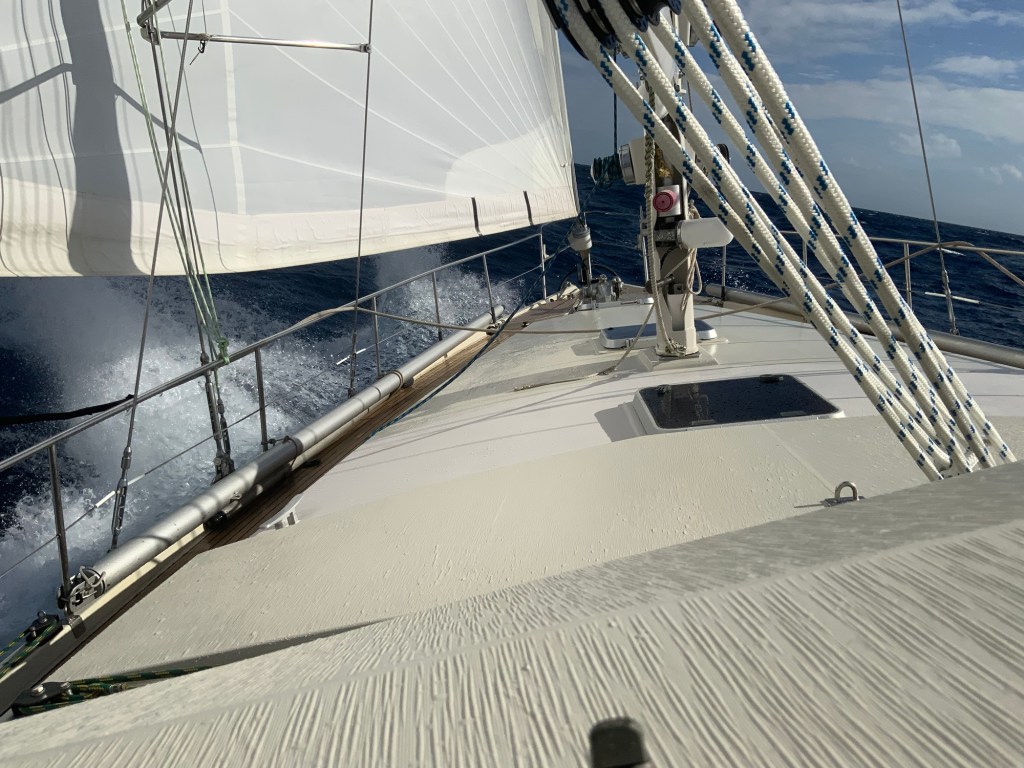
The forecasts have been spot on, with winds from the north at 20 to 30 knots, and we have been making excellent speeds through waves that have sometimes been quite lumpy.

Right now, Cape Lookout is abeam, the wind is straight out of the north at 20 knots, and we are making almost 8 knots over ground. Our last navigation hazard is Cape Fear and it’s of flying shoals about 80 miles ahead. We are expecting the winds to pick up again tomorrow morning, and we should be pulling into Brunswick in about 36 hours.

These short passages are tough. We never quite get into the rhythm of watch standing, so they are in some ways more tiring than much longer ocean passages. Other than that, the boat is doing great, and everything looks good.

Posted in Underway | Leave a comment

And the Chesapeake is in our wake…

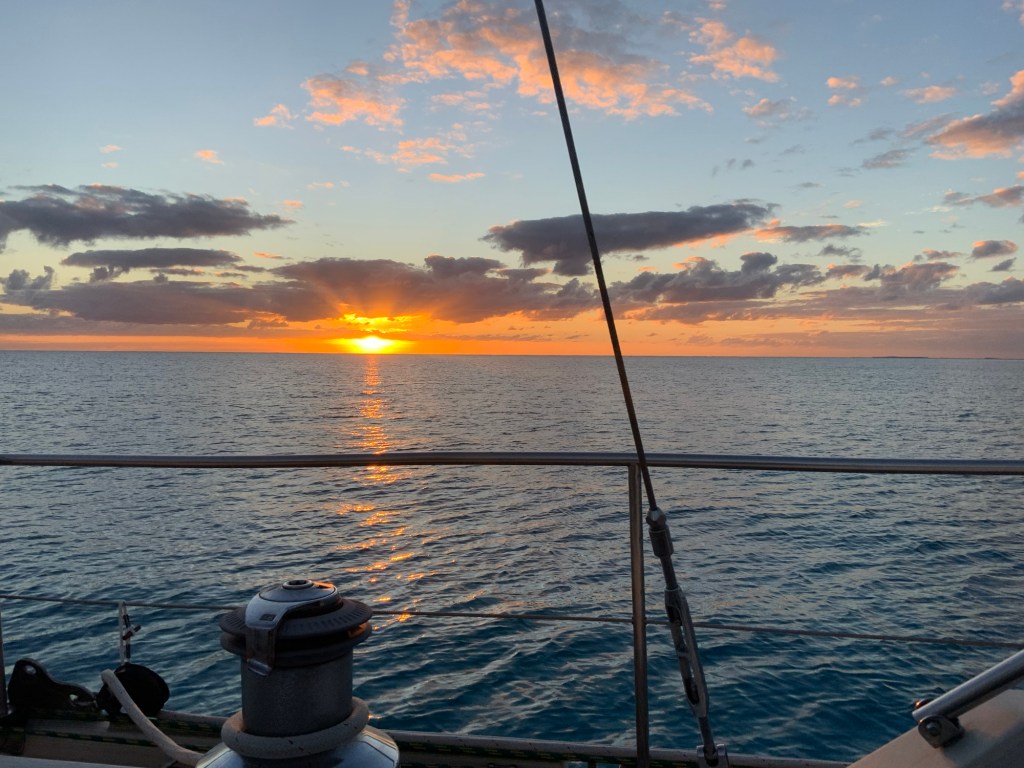
Sunset over Cape Henry, VA

We have passed the Chesapeake Bridge-Tunnel and are now officially in the ocean. The winds have clocked a bit, and we are on a comfortable beam reach passing Cape Henry, headed for Cape Hatteras. For the next hour or two we still have the challenge of negotiating the zone of heavy commercial ship traffic headed in and out of the bay.

Right now it’s a beautiful evening, easy comfortable sailing with winds from the WSW at 10 to 12 knots. Over the next few hours the winds are forecast to clock around to the north, and pretty much stay there for the next couple days. Our routing software predicts our arrival in Brunswick in 3 days, a very fast trip.

Posted in Underway | 1 Comment

Run Away! Run Away!

Winter is coming! Winter is coming!

As I write this we are motoring south on the Chesapeake Bay, headed toward the Atlantic Ocean. Right now the wind is from the south, pretty much directly on our nose. It’s sunny, and warm, but that kind of pale, thin sun that has more in common with January in Maine than July in Florida. That will change by tomorrow afternoon, when then wind will shift to the north, bringing clouds, rain and temperatures at least 20 degrees colder.

If the forecasts are accurate, the north winds will continue for most of the week, and will carry us on a wild sleigh ride right down to our destination in Brunswick, Georgia.

We had a fun few weeks in Annapolis. Helping some people with their own boats, squeezing in a delivery or two, and finding time to replace Harmonie’s main engine exhaust hose, checking her engine alignment, and of course the fall boat show.

Sailors are famous for being conservative about making changes. When you are far offshore and away from help and supplies is not the time to try new things. We finally broke down and got a Starlink. So far, we have found it exceptional. This will be our first offshore trip with it, and we expect it to perform well.

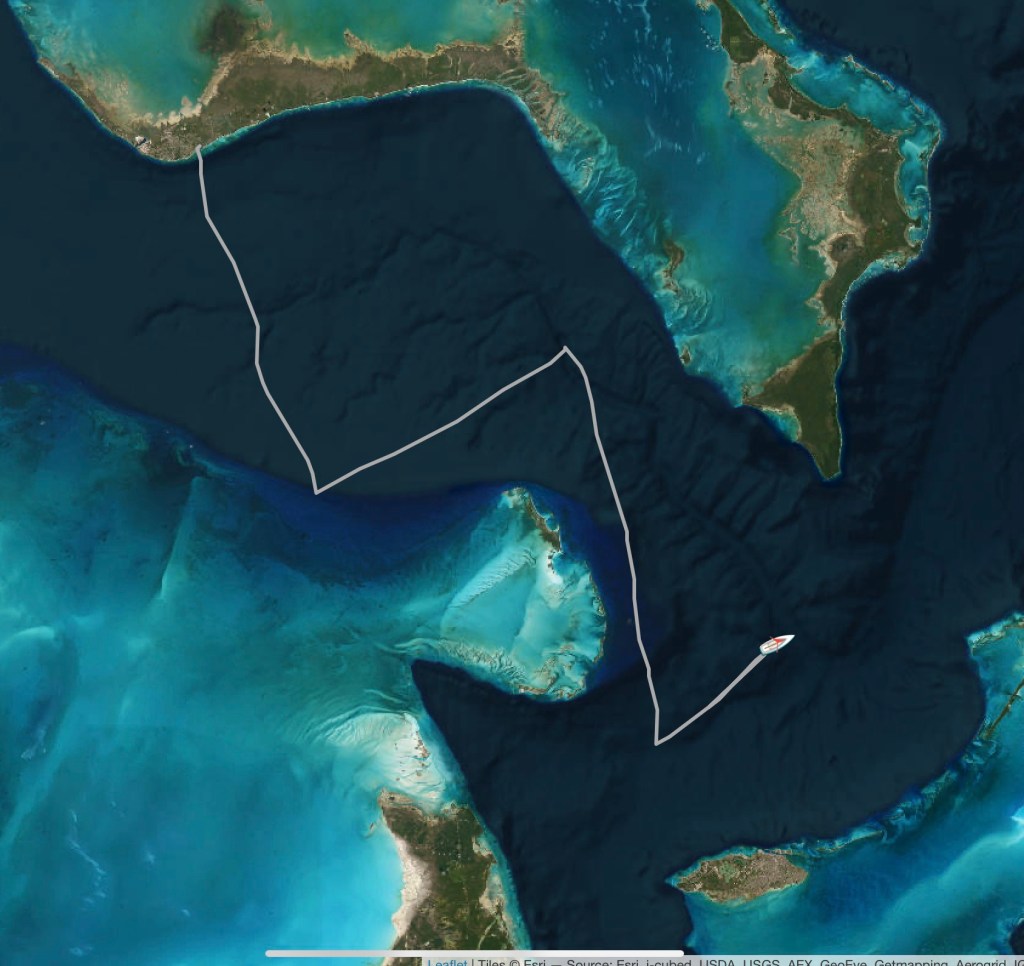
With the idea of ultimately decommissioning our Iridium Go system now that we have a Starlink we have begun using a new system for posting our position and tracking information. You can see it here:

https://saillogger.com/monitor/451

If you are interested in this, let me know. I have some details that can help.

Posted in Underway | 7 Comments

Travels on the Chesapeake

We still have a couple weeks before we are due in Annapolis, so we are taking advantage of some delightfully cool and comfortable weather to explore the Chesapeake Bay some more on a cruiser’s schedule. Which means, whenever, wherever. Since leaving Urbanna we made a quick, unplanned, stop in Henrys Creek to run and hide from an approaching line of thunderstorms. Nothing to see here 🙂

From Henrys Creek we moved to a very isolated, out of the way, spot called St Marys City. Today, there is nothing at all there except St Marys College, a very small (1600 student) liberal arts school, and a museum complex. The stop was recommended to us, and it was fun and relaxing (Thanks Jeff!)

How small is it? There is not a single place in town you can buy food–except the college dining room which “welcomes visitors.”

That’s now. Back in the day (we are talking the early 1634’s) it was actually the first settlement by the British in Maryland, and was the capital of the colony until the political capital was moved to present day Annapolis in the 1690s. It was never a particularly large settlement, the estimates I saw had a population of about 200 at its peak.

The museum was closed when we were there, although the replica of the original statehouse was open to walk through. Unfortunately, there is very little descriptive material on the layout of the original town, so the buildings currently extant are a “best guess” as to what would have been there.

I am sure there were any number of interesting people who lived here. Certainly anyone with the ambition to sail from the (relative) comfort of England would be an interesting person. Certainly one of the most unusual people in St Marys City in the 1600s was Margaret Brent, a single woman, landowner, lawyer, business woman, and one of the most influential people in the young colony at a time when most women rarely left the home.

The replica of the original statehouse must have been an imposing building in the mid-1600s.
A re-imagined home from the early colonial period in the museum complex.

The Dove is a replica of the original vessel that the colonists brought with them from England. Only 57 feet on deck, she was used trading both locally and with England. The economy was driven by the trade in tobacco.

A more modern sailing vessel at anchor off St Marys City (Harmonie)

From the quiet of St Marys City, we have moved to the much busier port of Solomons, a major yachting center in the central Chesapeake. We had planned to be on the move, but we are planning to stay here for another day or two to catch a local festival. More on that soon!

Posted in Underway | Leave a comment

Sometimes it is the Little Things

If you have been following us us on our travels, you know that a few weeks ago we had an aborted delivery when the boat got hit by lightning. Well…

That boat–and its new owner–are now here in the Chesapeake, just a dozen miles from our anchorage in Deltaville. It had been patched up well enough for a delivery crew to motor it north. We traveled over to the tiny, remote, but picturesque, town of Urbanna, Virginia (Pop. 500) to meet up with the owner and do some training on the “new to her” boat, and help with some lingering electrical issues from the lightning strike. How small is Urbanna? So small my cell phone doesn’t work here. So small only one street has ever been been visited by Google Street View cars, and that was 8 years ago…

Profitable a long time ago from the seafood processing industry, it is now a remote, wealthy suburb of Richmond. about an hour’s drive away. Still with a lot of charm.

Back to the Little Things…

One of the lessons this lightning strike has reenforced is do not assume you have found all the problems for a very long time. Sometimes things were damaged, and fail later, sometimes you get tricked into thinking something works, when it does not. An example: Right after the lighting strike we used the electric furler to roll up the mainsail. We made the assumption that the furler was fine. EXCEPT… the delivery crew discovered that while it rolled the sail IN just fine, it could not roll the sail back OUT. Assuming the likely fault was the switch, I took that apart, and found everything fine. Opening the contol box revealed a fairly simple system of a single large relay. I pulled out the relay, and as we were cycling through the various switches, I felt a wire under my finger suddenly get quite hot. Abnormally so.

The offending piece, and its issue were quickly apparent.

Connected across each of the two coils in the relay was a “flyback diode”. These are installed to prevent the large reverse voltage that can be generated when power is interrupted in a coil from damaging attached equipment. In this case one of the two had been blown out by the lightning strike, causing to to conduct current both ways, short circuiting the control system, and disabling the coil.

Fortunately, I had a bunch of these left over from the bow thruster lift project. Total cost of parts to repair: 15 Cents.

Posted in Underway | 1 Comment

Just Waiting

We are anchored in Fishing Bay, in the town of Deltaville in the state of Virginia. It is about a quarter of the way up the western shore of Chesapeake Bay in the Piankatank River. (Pee-on-ka-tonk) (Has there ever been a place name name more fun to say than that?) A bucolic location if there ever was one. Not really anything of great interest around, it is just pretty enough to be one of our go-to anchorages.

Our plan to drive a bit out of the way to avoid the worst of what was hurricane Idalia worked perfectly. The local forecast includes only modest amounts of rain, and winds of less then 30 knots. The bulk of the storm will be significantly south of us with a closest approach tomorrow afternoon.

You may remember our posting a short while ago about our aborted delivery of a Hylas 54 our of Florida due to a lightning strike. The boat has been patched up, and is actually right now about 14 miles away. We will be heading over to that location this weekend to do some basic skills training with the new owner. That’s always a fun time.

We are still hopping to find a weather opportunity to run offshore and get some fishing in, but with the current level of tropical storm activity, that is looking less likely. If that doesn’t happen, there are still huge sections of the Chesapeake we have yet to explore.

Posted in Underway | 2 Comments

Frustrating, and beautiful

We have been bouncing around off the cost of Virginia and Delaware looking for an opportunity to catch some fish. It has been beautiful sailing weather. The only catch is, that perfect sailing weather is poor weather for the kind of fishing we were trying to do! We were targeting tile fish, which means we need to fish very deep, which means we need calm winds. It just wasn’t being cooperative!

Right now we are on the edge of the continental shelf, sailing in delightfully cool, clear, weather with calm seas, and enough breeze to get us moving, headed back to the Chesapeake Bay. Our plan is to find a protected harbor to tuck into for the forecast storm coming on Thursday. Then we will see…. Maybe back out to fish? Or explore the bay?

Decisions! Decisions!

Posted in Underway | Leave a comment

And We are Moving Again!

We have been here in Hampton, VA a few weeks, and are ready to move. After the excitement of the delivery aborted due to the lightning strike, we enjoyed the opportunity to complete a few Harmonie projects at a leisurely pace.

Just as a quick update to those who might be wondering, we got an update from the Hylas’ owner today, and the bill for the electrical damage is probably going to exceed $20,000. Unfortunately, not an unusual kind of number for a complicated boat hit by the energy in a lightning bolt.

We finally received all the bits and pieces to replace our radar. Our electronics are mostly B&G brand, which is owned by the Norwegian company, Navico, which is in turn owned by the American company Brunswick. They did well by us. Our radar model was retired several years ago, but they let us slide into their “in-service” replacement program, basically getting us a current model for less than half retail price. If you are at all familiar with the pricing structure for the marine electronic market, this is a huge discount.

We have been doing this boat stuff long enough now that the idea of going up the mast to install the new radar dome is just sort of all in a day’s work, and we don’t even consider it an especially challenging or interesting project.

I have to say, some of the features of the new radar are just awesome for offshore cruising. We’ll give it a workout and let you know if it works as well in practice as it looks on the spec sheet.

As part of the radar upgrade, we also upgraded the ethernet connections on our instrument systems. We also (hopefully!) fixed a pesky window leak, and fixed some bilge pump problems.

We have a few picking up things to do, and some boat cleaning left, but in a day or three we will be back out into the ocean. Our destination will be Lewes, Delaware. This puts us in easy reach of the Baltimore and Norfolk canyons out on the edge of the continental shelf. What’s out there? Why FISH, what else? We will primarily be targeting golden tilefish, but we will be happy to pick off some sea bass, tuna or dolphinfish that present themselves.

Once we have our fill of fishing (or just fill the freezers!) we will head up the Delaware River, through the C&D Canal, and then down to Annapolis.

Posted in Underway | Leave a comment